
Shipping and delivery
Rates at checkout and labels from the order, for the UK and the US.
Out the door
- Live carrier rates with your markup
- Flat, free-over and collection options
- Labels and end-of-day manifests
- Blind shipping under your client's brand
Shipping labels for print shops, from the order
Once a job is packed, it should be out the door in a minute. In Dyenzo the address, the pieces and the weight are already on the order, so buying a shipping label is a few clicks, not a trip to a carrier's website and a copy and paste. Dyenzo connects to EasyPost for live carrier rates and labels in the UK and the US.
Delivery options at checkout
Customers see the delivery options you set, priced the way you choose, plus live carrier rates with your markup. Checkout also shows when the order should arrive, from your production days and the delivery time.
| Option | How it works |
|---|---|
| Flat rate | A set price, or bands by order value, weight or quantity |
| Free over | Free delivery above an order value |
| Collection | Picked up from you, with who collected it recorded |
| Live rates | Carrier rates through EasyPost, with your markup |
| Rush | A faster option that makes the order a rush job |
| Saturday delivery | Offered where the carrier allows it |
Rules for who sees what
Each delivery option can be limited to regions or postcodes, to certain products, to a price level, to a team store, or to staff only. A store can deliver to the club in one box instead of to each buyer. Heavy orders can be split into even boxes by weight, each charged at its own rate.
Shipping an order, step by step
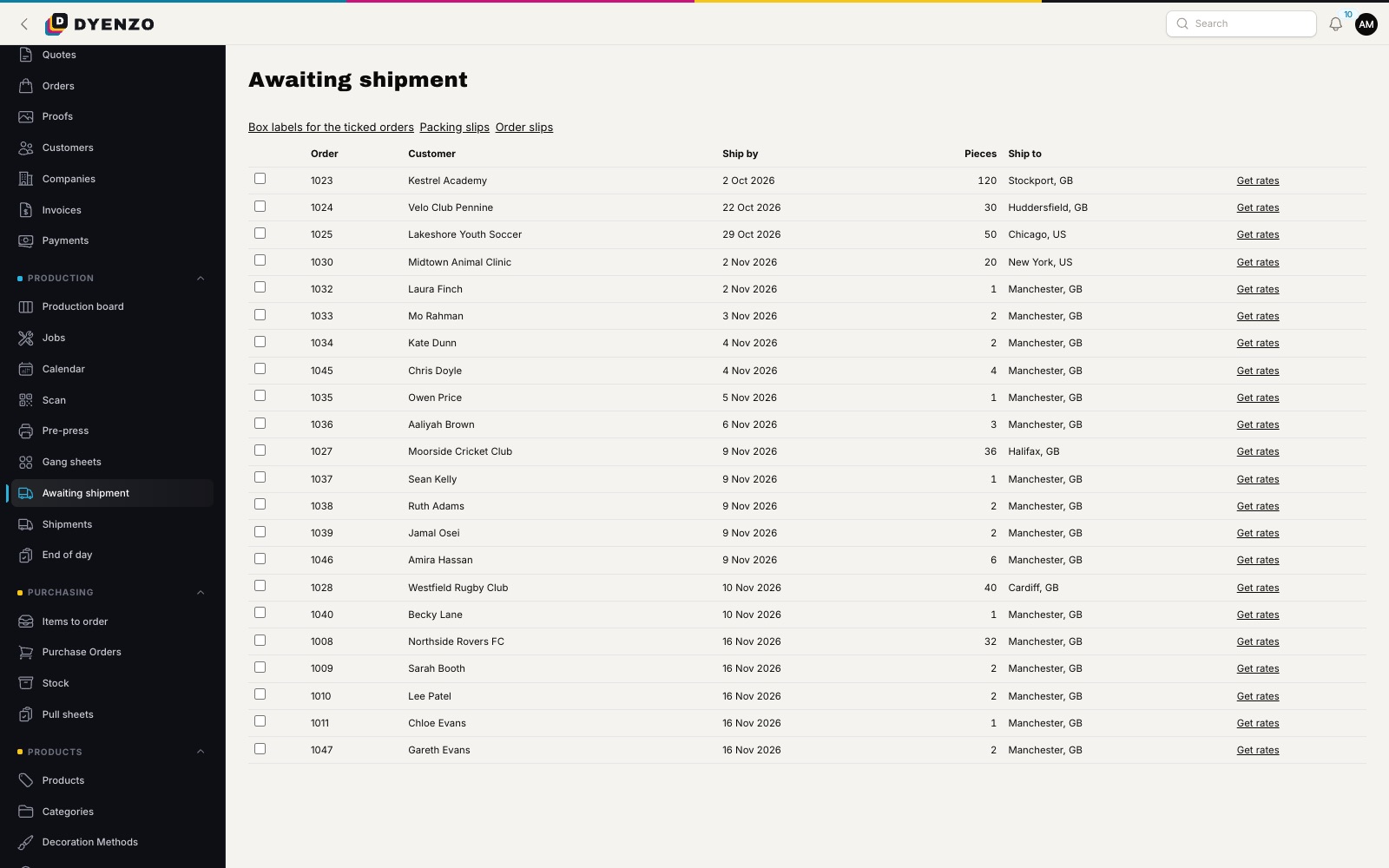
- Open the awaiting shipment queue to see every order that is ready to go.
- Print packing slips and box labels for many orders at once.
- Get rates for the order, pick one and buy the label.
- The first label marks the order shipped, and the customer gets an email with the tracking link.
- Tracking updates come back from the carrier on their own until the parcel is delivered.
Real life, covered
- Void a label and buy a new one; the customer gets one corrected tracking notice.
- Send part of an order now and the rest later, when partial shipments are on.
- Record a box sent another way, with its tracking number typed in.
- Mark a collection ready, then collected.
- Print labels in the format your label printer takes.
Blind shipping
Many decorators make goods for other brands and promo resellers. Mark an order or a company as blind and the parcel ships under your client's brand, with returns to them. The packing slip and box label never name your shop.
Paperwork that scans
Box labels show the order number, who it is for, the delivery method, pieces, weight and box 1 of 2. Order paperwork and box labels carry a barcode, so scanning a box opens its order straight away.
What happens next
Shipped orders show their tracking in the customer portal. On Shopify orders the tracking goes back to the merchant's store. Stock held for the order is taken off when it ships, and the final invoice can follow.
Questions
Do I need my own carrier account?
You connect your own EasyPost account, which gives you carrier rates and labels. Shoppers can be charged your account rate, the list rate or the retail rate, before your markup.
Can I print paperwork for many orders at once?
Yes. Tick the orders in the queue and print box labels, packing slips or order slips for up to 200 of them in one go.
Can a customer collect instead?
Yes. Offer collection as a delivery option, limited to local postcodes if you like.
Related
Dyenzo is opening to its first print businesses
Write to us for early access. Tell us what you print and which modules you need.