
How to price screen printing
The parts of a screen printing price, and how to keep every quote consistent.
The parts of a price
- Garment cost plus your markup
- A print charge per colour, per location
- Setup per screen, spread over the quantity
- Extra charges: flash, colour changes, rush
Use quantity breaks
Price drops as quantity rises. A matrix of quantity breaks against colours keeps it simple for you and fair for customers.
Start with what a job really costs you
Before you can set prices, you need to know your costs. Most of them fall into four groups. Blank garments, which you buy per job. Consumables, such as ink, emulsion, film, tape, adhesive and screen reclaim chemicals. Labour, which is your time and your staff's time on art, screens, setup, printing, cleanup and packing. And overheads: rent, power, insurance, software, equipment payments and repairs. Add up a normal month of overheads and divide by the hours you actually print. That gives you a shop cost per hour, and every job has to cover its share.
The garment and the markup
Price the garment at your cost plus a markup. Markups on blanks vary a lot between shops; many add a percentage that covers ordering, receiving, counting, spoilage and the cash tied up until the customer pays. Charge the markup on every garment, including those the customer supplies, or charge a handling fee for customer-supplied garments. You carry the risk if a supplied shirt is ruined.
The print charge
The print charge is per piece, per location, per colour. A one colour front print on 48 shirts is one pass per shirt. A three colour front and a one colour back is four colours across two locations, which means more screens, more setup and more time on press. Charging per colour keeps the price honest: more colours really do cost more to print.
Your print charge should drop as quantity rises. On a run of 24 the setup and cleanup take a big share of the time. On a run of 500, the press runs for hours on one setup. That is why shops use quantity breaks.
Setup and screen charges
Each colour in each location needs a screen: a film, a coated screen, exposure, washout, taping and registration on press, then reclaiming afterwards. Charge a setup fee per screen. On small runs, this one charge makes the biggest difference to the price per piece. Spread across 12 shirts it adds a lot; across 300 it adds very little.
Many shops waive or reduce setup on a reorder of the same design within a set time if they kept the screens. Say so clearly on your quote. It rewards repeat customers and costs you little if the screens are still on the rack.
A worked example
Here is a simple job using the same method as our screen printing price calculator. The figures are only examples; use your own.
| Part | Working | Per piece |
|---|---|---|
| Garment | 3.50 cost plus 60% markup | 5.60 |
| 1 location x 2 colours x 0.45 | 0.90 | |
| Setup | 2 screens x 20 = 40, over 48 pieces | 0.83 |
| Total | 48 pieces | 7.33 (352.00 for the job) |
Now change one thing. At 12 pieces the setup of 40 is spread over far fewer shirts and adds 3.33 each, so the price per piece rises to about 9.83. At 144 pieces it adds under 0.28 each. This is why small runs cost more per shirt, and why customers who understand it often round up their order.
Build a price matrix
Working this out from scratch for every enquiry takes too long and gives inconsistent prices. Instead, build a matrix with quantity breaks down the side and the number of colours across the top. Each cell holds the print charge per piece for that quantity and colour count. Common breaks are 12, 24, 48, 72, 144, 288 and 500 and up, but choose what matches your jobs. Prices fall as you move down the grid to larger quantities, and rise as you move across it to more colours.
Fill it from your own costs: the time each job size takes on press, your shop cost per hour, ink use and a profit margin. Then check it against a few real jobs you have run. Keep a separate grid for each print location if back and sleeve prints take longer to set up in your shop.
Extra charges worth adding
- Flash or underbase on dark garments, which adds a screen and slows the press.
- Colour changes when the same design runs on several garment colours with different ink colours.
- Specialty inks: metallic, glow, puff, high density or discharge.
- Art time beyond small fixes, and vector redraws of low-quality logos.
- Names and numbers, which are often done by another method.
- Folding, bagging, labelling and split delivery.
- Rush jobs that jump the queue.
Set a minimum order
A minimum order quantity protects you from jobs that cost more to set up than they earn. Many shops set it somewhere between 12 and 24 pieces for screen printing. For smaller orders, offer DTF transfers or another digital method, or quote a minimum job charge.
Check your prices regularly
Garment, ink and wage costs change. Review your matrix at least once or twice a year. Compare the margin you expected with what you actually made on recent jobs, including reprints and time spent on changes. If one kind of job keeps losing money, change its price or stop taking it.
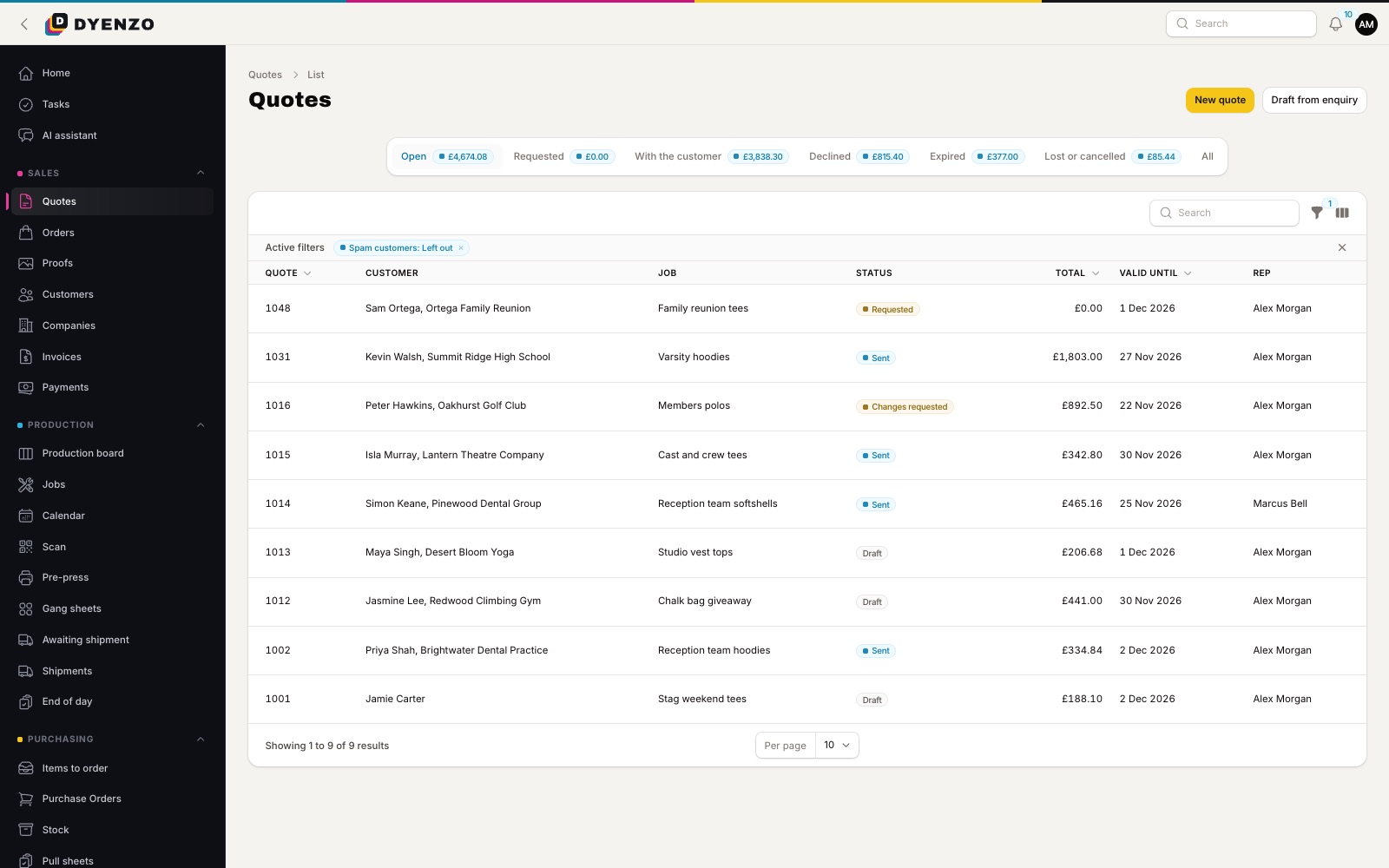
Quotes in Dyenzo
Dyenzo prices quotes from your own matrices by quantity and colours, adds setup per screen, flash and colour change fees, and leaves out setup on a reorder when you kept the screens. Each quote shows how its price was built, and customers accept it online.
Questions
Should I show setup fees separately?
Either works. Some customers prefer one price per piece; others like to see the setup so they understand why small runs cost more. Be consistent and make it clear on the quote.
How do I price customer-supplied garments?
Charge the same print charges plus a handling fee, and agree in writing what happens if a garment is damaged in printing. Many shops do not replace supplied garments.
Is it better to charge per colour or per location?
Charge for both. The print charge per piece rises with the number of colours, and each extra location adds its own print charge and setup.
How often should I raise prices?
Review prices at least once a year and whenever blank or ink costs rise noticeably. Small regular changes are easier for customers than one large jump.
Related
Dyenzo is opening to its first print businesses
Write to us for early access. Tell us what you print and which modules you need.