
Quotes and pricing
One set of prices for quotes, your website, stores and Shopify, with the reason for every price shown.
Price the way you work
- Matrices by quantity and colours, stitches or area
- Setup, digitising, flash and colour change fees
- Price levels and volume discounts for accounts
- Quotes accepted, declined or changed online
Screen printing estimating software that shows its working
A quote is only as good as the price behind it. Dyenzo keeps one set of prices for every place you sell: staff quotes, your website, team stores and Shopify orders. Change a price grid once and every channel follows. Each price comes with "Why this price", a plain list of the garment, the print, the setup and every fee that made it, so staff can explain a quote and trust it.
Price grids for each decoration method
- Screen print: a price per piece by quantity and number of colours, per print location.
- Embroidery: a price by quantity and stitch count, with a digitising fee once per design.
- DTF, DTG, sublimation and transfers: a price by quantity and print size, or a rate per area of the design.
- A minimum price per piece on any grid, so a big run never prices below cost.
Fees that match real shop work
| Fee | How it is charged |
|---|---|
| Setup | Per method or per product, waived on a repeat when you keep screens for a set number of days |
| Flash fee | Per piece printed on a dark garment that needs an underbase |
| Colour change | For each extra garment colour on the same design |
| Digitising | Once per design, or by the size of the design |
| Stock design | A fee per piece for art from your library |
| Extra charges | A percentage, per hour, per piece or a fixed amount |
Garment prices your way
Price the blank from cost plus markup, a set price, a price per colour or per size, or price breaks by quantity. Sale prices can start and end on a date. Price levels give accounts their own prices, volume discounts and minimums, so a school, a club and a walk-in customer can each see the right number without a separate price list.
Building a quote, step by step
- Start a quote for a customer or company, or let the AI quote helper draft one from an enquiry email for you to check.
- Add products, colours and sizes. Link a saved design with its roster and mockup, or mark the art as an estimate.
- Group lines, such as Home kit and Away kit, so each group prints with its own total.
- Add quote-only options the customer can choose from, kept out of the total.
- Check the minimums. Staff see a warning, or you can make a short order block until it is fixed.
- Send it. The email and PDF carry approve and decline links, and your terms can go with every quote.
Accepted online, then straight into work
The customer reads the quote on a page with your branding and accepts or declines it there. If a deposit is due, accepting goes straight to the deposit invoice and card payment. Follow-ups go out for you if a quote sits unanswered, only at sensible hours. Once accepted, the quote becomes the order: art tasks are made for your art team, proofs can be sent, and the order heads to purchasing and the production board.
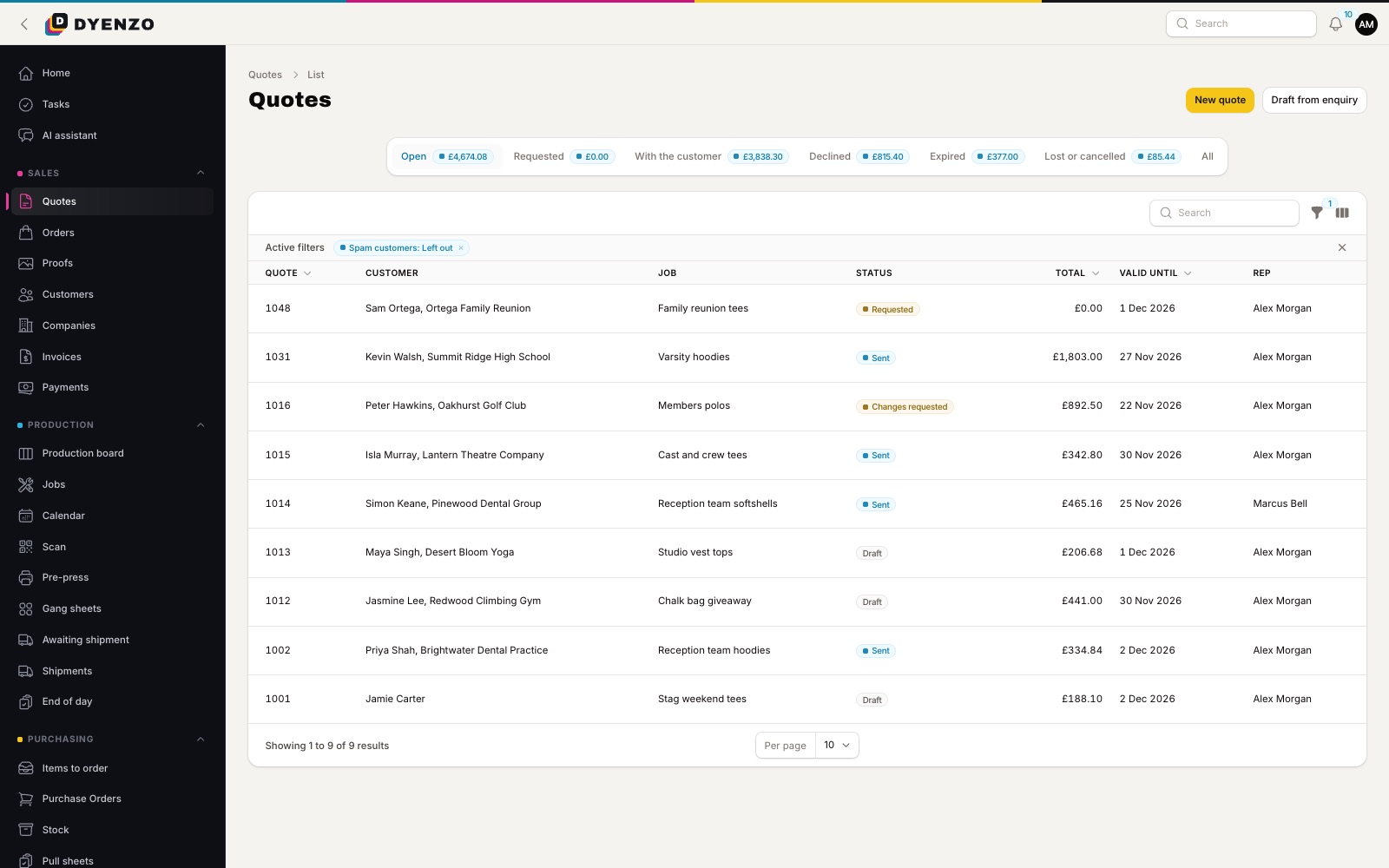
Quote requests from your website
Customers can ask for a quote from a form on your website, from the customer portal or straight from the cart. You can even run the website in quote-only mode with prices hidden, so every cart becomes a quote request for staff to price.
Questions
Can I price a job before the customer has art?
Yes. Mark the line's art as an estimate and the quote tells the customer so. Link the real design when it arrives.
Do repeat orders pay setup again?
Not if you choose. Set how many days you keep screens and a repeat of the same design within that time is quoted with no setup, with the earlier order named.
Can staff see my costs and margins?
Only staff you allow. Blank costs, markup and profit are hidden from everyone else.
Dyenzo is opening to its first print businesses
Write to us for early access. Tell us what you print and which modules you need.